
Get quick answers to common eSIM questions about devices, installation, data usage, calls, plans, security and troubleshooting.
Browse our regularly updated FAQ page to find the information you need and enjoy a smoother eSIM experience.

Most modern smartphones are eSIM-compatible.

iPhone XS, XR, and all newer models (including iPhone 11, 12, 13, 14, 15, 16, and current iterations).

Galaxy S20 series, Z Flip/Fold series, and newer flagship models.

Pixel 3a and all newer models.
Select models from Huawei, Xiaomi, Oppo, and Sony.

Important: Your device must be carrier-unlocked to use an eSIMo profile. Tablets (like iPads with Cellular) are supported for data-only plans, while smartwatches are currently not supported due to proprietary carrier-tethering requirements.


Most modern smartphones (such as iPhone 13 and newer) allow you to store 8 or more eSIM profiles directly on the device chip. However, you can typically only have two (2) lines active at the exact same time (Dual SIM mode) — for example, your primary home SIM and one active eSIMo travel plan.
Unlike standard travel eSIMs that only provide mobile data, eSIMo offers premium plans that include international voice calling and a dedicated second phone number. You can place calls to landlines and mobile numbers worldwide directly through our secure infrastructure.
The Second Number feature provides you with an alternate, fully operational phone number directly inside your device. It works independently of your physical SIM card. It is perfect for:

While WhatsApp and FaceTime require both parties to have an internet connection and the app installed, eSIMo lets you call any standard phone number or landline globally, even if the recipient doesn't have our app or an internet connection.
Absolutely. If you run out of data or your plan duration is expiring, you can purchase a top-up package or extend your plan instantly through your eSIMo app account. The new data will seamlessly stack onto your profile without requiring you to scan a new QR code.
Every time you travel, buy a plan, or refer a friend to eSIMo, you earn eSIMoney credits deposited straight into your in-app wallet. These credits can be used as direct cash discounts to buy or renew future data and voice plans.

We offer two ultra-simple setup methods:
Direct App Activation Easiest Method
Open the eSIMo app on your target device, go to your purchased plans, and click "Install Automatically." Follow the on-screen OS prompts to finalize setup.
QR Code Scan Requires a Second Screen
Open the activation email sent to you on a secondary screen (laptop or tablet). Navigate to your phone's cellular settings, select "Add eSIM," and scan the QR code.
Configure Settings Before Takeoff
Label the new line as "eSIMo Travel" and ensure your primary carrier's Data Roaming is turned OFF to avoid unexpected fees.
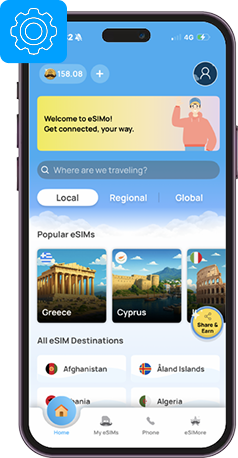
Yes. Your device must have a stable internet connection (Wi-Fi or an active primary cellular data connection) to securely pull the eSIM profile from our cloud servers during the initialization process. Always install your eSIM before leaving for the airport.
To ensure your home carrier doesn't sneak in expensive daily data fees:
Data consumption varies widely depending on your app habits. Here is a baseline of average travel data usage:
| Activity | Estimated Data Consumption |
|---|---|
| Google Maps / Navigation | ~20MB – 30MB per hour |
| Social Media Browsing (Instagram/TikTok) | ~120MB – 150MB per 10 minutes |
| Music Streaming (Spotify/Apple Music) | ~50MB – 70MB per hour |
| Video Streaming (Netflix/YouTube HD) | ~1GB – 3GB per hour |
Data Calculator
Use our built-in In-App Data Calculator before you buy to tailor a plan matching your exact destination length and app habits.
Not sure how much data you need? Try our Data Calculator.
Simply open the eSIMo app or log into your web dashboard to see a live, real-time breakdown of your remaining gigabytes, voice minutes, and plan expiration date.

Yes, eSIMs provide superior physical and digital security. Because an eSIM is embedded directly onto your phone's internal motherboard, it cannot be physically stolen, swapped, or intercepted if your device is lost or stolen. This prevents bad actors from removing your SIM to hijack your 2FA authentication codes.
No. Every eSIM profile is generated with unique cryptographic tokens tied specifically to your device's unique hardware identifier (EID). Once downloaded, the profile cannot be duplicated or activated on another device.
Glossary
Want to know more about eSIM? Visit our Glossary page.
Help Center
Still need help? Didn't find the answer you were looking for here?
Visit our Help Center.

